.png)
How to add First Pass to an activity
First Pass AI Analysis is an add-on package to a Citizen Space subscription. Please speak to your customer success manager if you are interested in learning more about it.
First Pass AI Analysis (First Pass or FPA for short) must be added to an activity before going live.
First Pass is delivered as a saved question. Saved questions are a standard Citizen Space feature: a site admin saves the question into the site’s saved questions repository, and from then on any admin can drop a copy of it into any online survey without rebuilding it. First Pass uses this so that switching on AI analysis is the same simple two-step job as adding an equalities monitoring question.
Turning FPA on
- In the survey editor, open the page where you want the analysis fields to sit and select Add a saved question.
- This lists all the questions saved on your site, grouped into categories. Find the First Pass question ('Automated AI Analysis') and select Add this question.
That's it - adding this saved analyst question is the entire switch. From that moment, every response submitted to the activity is analysed automatically. Activities without the question are left completely alone, so you decide which surveys and consultations use AI analysis, activity by activity.
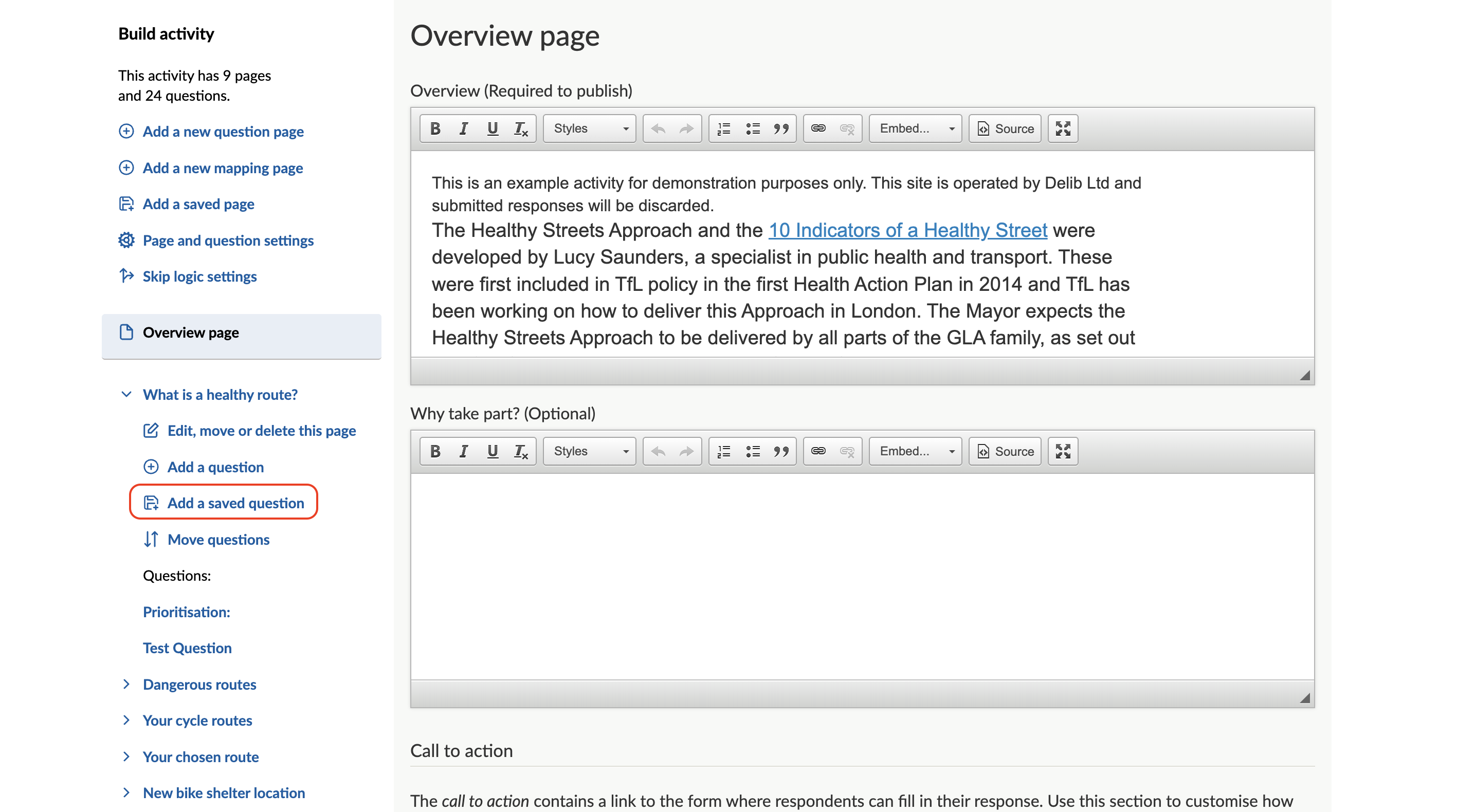
No question, no analysis
When a response is submitted, the very first thing First Pass does is check the activity's form for its output fields. If they are not there, it stops on the spot: the respondent’s answers are never retrieved and no AI is involved at all. Adding the question is genuinely the switch, not a filter applied after the fact, so activities that have not opted in never have their responses touched.
Setting up your tags
The tag list that the Tags feature draws from lives on the Tags component inside the First Pass question. After adding the question, edit the tag list to reflect the themes you care about for this activity (for example Safety, Parking, Accessibility, Cost). Those tags become the complete set First Pass is allowed to apply on this activity. You use a different list on every activity.
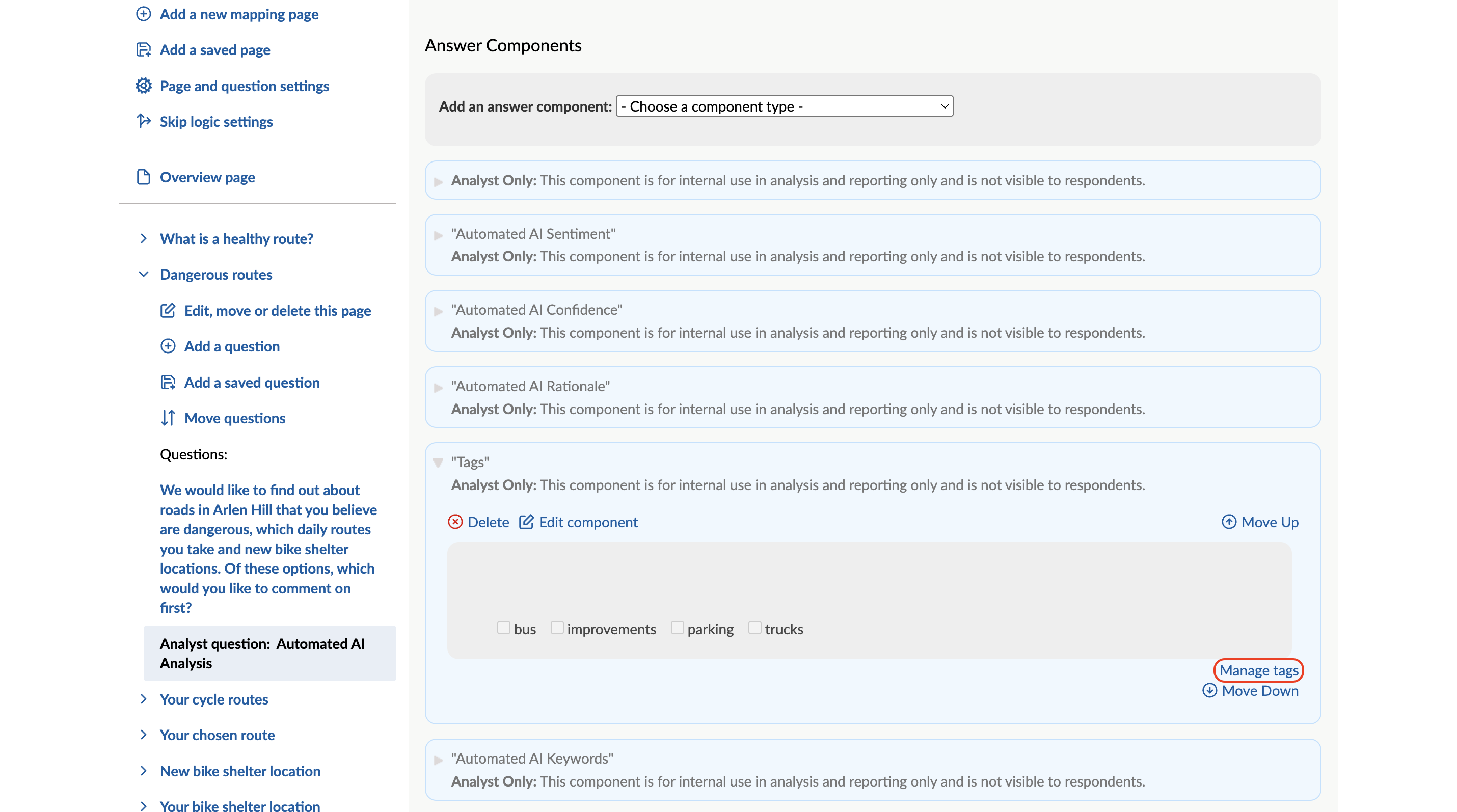
Using only the parts you want
Every output is its own component within the question, and each one is optional:
- If you have no use for AI response summaries, delete the Automated AI Summary component
- if you don’t want suggested keywords, delete the Automated AI Keywords component.
First Pass fills in whichever fields remain and skips the rest without complaint. Because adding a saved question adds a separate copy, trimming the question on one activity changes nothing on the saved original or affects any other activity using it.
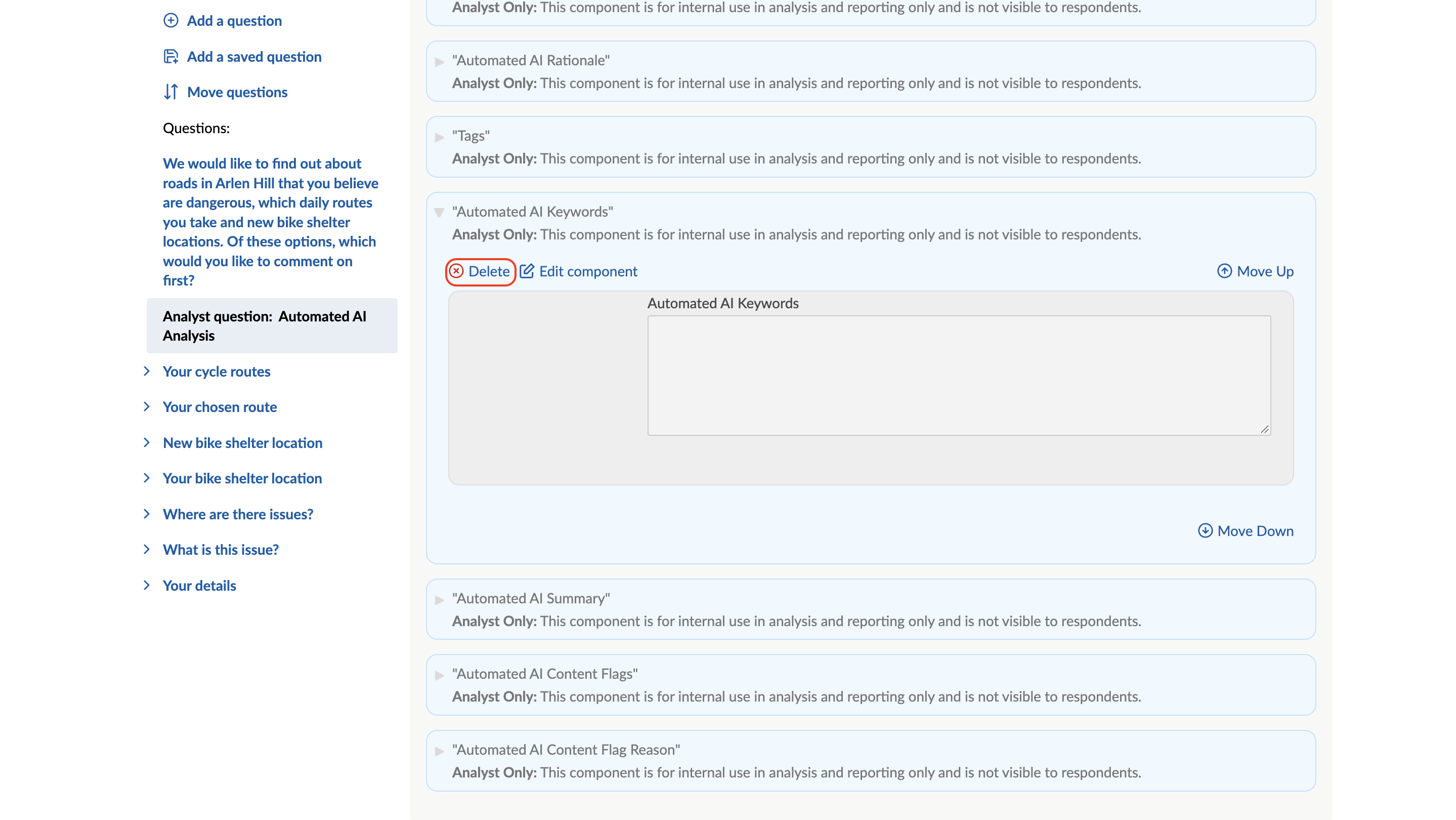
The minimum for FPA to run
Only one field is needed. As long as any single AI output field is present, analysis goes ahead and that field is filled in.
There are two caveats:
First, the Tags component does not count on its own: components titled 'Tags' exist inside ordinary questions too, so First Pass identifies its question by the other AI fields. If you want AI tagging, keep at least one other AI field alongside it.
Second, Content Flags and Content Flag Reason belong together. The reason field explains the flags, so deleting one without the other leaves you with flags nobody can verify at a glance, or reasons for flags that are not shown.
Field title rules
Field titles are how First Pass finds its way. First Pass locates its output fields by their exact titles so two rules apply:
- Don’t rename the fields, because a retitled field can no longer be found and that output will silently stop being written, and
- Don’t reuse these field titles for your own questions anywhere on the site, because First Pass will treat any field with one of these exact titles as its own and write over whatever is in it.
The reserved titles are:
- Automated AI Summary
- Automated AI Keywords
- Automated AI Sentiment
- Automated AI Confidence
- Automated AI Rationale
- Automated AI Content Flags
- Automated AI Content Flag Reason
A simple rule of thumb keeps everyone safe: Never start one of your own question titles with 'Automated AI'.
The safe way to customise the First Pass question is by deleting the components you don’t want, not by renaming the ones you keep.
Managing the saved question
Site admins manage the repository copy under Site, then Settings, then Saved questions, where saved questions can be categorised or deleted. Changes there never affect activities that have already added the question, and any validation rules saved with a question travel with it.
